Copy Text from Image
Copy text from an image without retyping it. Paste a picture with Ctrl+V (Cmd+V on a Mac), drop it in or choose it, and the text comes back with Copy text as the first button.
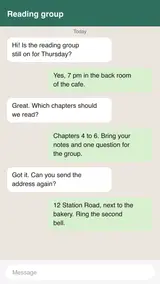
No image to hand? Sample: A screenshot of a group chat.
What we accept
LIMITS PER FORMAT
1 FORMAT
JPG / PNG
.jpgMax size
20 MB
Files per job
up to 20
From a picture to your clipboard
Paste works with the keyboard on a computer and with the Paste image button on a phone.
On Windows
Right-click the picture and choose Copy image. Then click anywhere on this page and press Ctrl+V.
On a Mac
Control-click the picture and choose Copy Image. Then press Cmd+V on this page.
On a phone
Long-press the picture in your app and choose Copy, then tap Paste image here. Your browser may ask you to allow access to the clipboard.
Then copy the result
Press Copy text and paste the words into your note, email or message. Check names and numbers against the picture first.
Picture inside a PDF?
Paste works for images only. For a whole document, the PDF to Text converter reads it page by page.
Why people use this tool
For the moment you just need the words on your clipboard.
Paste, don't save
Copied a picture from a chat or a web page? Paste it straight onto this page. There is no need to save it as a file first.
Copy comes first
When the text is ready, Copy text is the main button, with the TXT download beside it.
Line breaks kept
The text keeps the line breaks it was read with, so a list or an address pastes as separate lines.
Reads photos and scanned pages
Clear printed English gives the reader more to work with. Blur, shadows and tilted pages can cause missed or misread text.
Text grouped by page
Pages stay in order. Within a page, columns, lists and headings may need checking before you reuse the text.
Review before you download
Read the extracted text in the result panel, then copy it or download a TXT file. Compare it with your source when accuracy matters.
How to copy text from an image
Four steps, all of them in the browser. Nothing to install and no account — then convert to TXT.
Paste or add the image
Press Ctrl+V or Cmd+V on this page, tap Paste image, or drop the picture in.
Convert it
Press Convert to TXT. You can paste more pictures first; they are read in the order you add them.
Glance over the text
Compare it with the picture, especially names, numbers and anything in small print.
Copy text
Press Copy text and paste it where you need it. The TXT download is there too.
What the text result includes
The result is plain text grouped by page. Recognition and reading order depend on the source, so review it before use.
In the result
Plain text you can review, copy or download as TXT.
Page sequence
Pages appear in source order. For an image batch, the order of the images becomes the page order.
Text found
The result contains the words the service could read. Check names, numbers and missing words against your source.
Line breaks
Detected text blocks are separated by line breaks in TXT. Paragraph and heading structure can vary with the source.
Warnings
If processing reports a page warning, it appears with the result so you know what to review.
Check before use
Check the source before relying on the result.
Reading order
Columns, lists, headers and footnotes can be read out of order, especially on complex pages.
Layout and images
TXT does not retain fonts, pictures, tables or exact placement. Reformat the text if you need those details.
About plain text
Plain text stores characters and line breaks, not the layout of the original page.
Scanned pages are read with OCR, so proofread names, numbers and small print before you rely on the text.
Copy text from image questions
Answers to common questions about Copy Text from Image.
How do I paste an image on my phone?
Copy the picture first: in most apps, long-press it and choose Copy. Then open this page and tap Paste image. The browser may ask for permission the first time. If your browser cannot paste pictures, save the image and add it with Choose image instead.
Does the copied text keep its line breaks?
Yes. Copy text gives you the lines as they were read, with a blank line between pictures when you add more than one. Chat bubbles and captions often wrap over several lines, so you may want to join some lines after pasting.
Why is some of the text missing or wrong?
The reader works from the pixels. Small or faint text, text over a busy background, decorative fonts and heavy compression are where it slips. Crop to the part you need or use a larger copy of the picture, and check names and numbers before you rely on them.
Can I paste more than one image?
Yes. Paste or add up to 20 pictures before you convert. They are read in the order you add them.
Other tools in the set
Same reader, same price, same hour-long retention. Pick the one that matches what you need out the other end.
Image to Text
Pull text out of any photo or scan
Photo to Text
Turn a phone photo of a page, notice or receipt into text you can copy or save as TXT. Take the photo right in the browser. Free, no sign-up.
JPG to Text
Convert JPG and JPEG images to text online. Add up to 20 files, review the text, then copy it or download a TXT file. Free, no sign-up.