JPG to Word
Convert a JPG to Word. Drop a .jpg or .jpeg file, or up to 20, check the recognised English text, and download it as an editable .docx file.
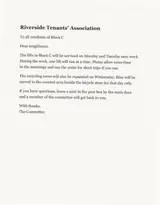
No image to hand? Sample: A typed notice, scanned and saved as JPG.
What we accept
LIMITS PER FORMAT
1 FORMAT
JPG
.jpgMax size
20 MB
Files per job
up to 20
Getting good text from a JPG
A JPG gives up detail to save space, and small text is where you notice it first.
Compression
A JPG saved at low quality grows blocky halos around letters. Export at high quality, or use the original instead of a copy sent through a chat app.
Phone photos
Tap the text to focus, keep the phone parallel to the page and shade it from your own shadow. A straight, evenly lit photo reads far better than an angled one.
Scanner settings
A scanner that saves JPG at 300 dpi gives clean printed pages. To scan to PDF instead, send that file to Scanned PDF to Word as one file.
Resizing
Shrinking an image to email it blurs small type, and enlarging it again will not bring the detail back.
What your JPG becomes in Word
A starting point for editing, with the usual JPG slips to look for.
One page per JPG, in your order
Every JPG starts a new page. Add several to build one document from a batch of photos.
Look-alike characters
A heavily compressed JPG is where 0 and O, 1 and l, or rn and m get swapped. Search the Word file for numbers and codes.
Headings are hit and miss
Only a short line set clearly bigger than the body text becomes a heading. Anything at body size stays a normal paragraph.
Grids and multi-column pages
Tables are not rebuilt and columns are flattened into one flow, so a page like that needs tidying in Word.
Why people use this tool
For when what you have is a JPG and what you need is a Word document.
JPG and JPEG both work
Either extension is accepted and there is no need to convert first. A batch is read in the order you add the files.
Editable in Word
The recognised text arrives as paragraphs in a .docx file, ready to edit in Word, Google Docs or Pages.
Big files are fine
JPG files up to 20 MB and 25 megapixels are accepted, so a large scan does not need shrinking first.
Reads photos and scanned pages
Clear printed English gives the reader more to work with. Blur, shadows and tilted pages can cause missed or misread text.
Text grouped by page
Pages stay in order. Within a page, columns, lists and headings may need checking before you reuse the text.
Review before you download
Read the extracted text in the result panel, then copy it or download a TXT file. Compare it with your source when accuracy matters.
How to convert a JPG to Word
Four steps, all of them in the browser. Nothing to install and no account — then convert to Word.
Add your JPG files
Drop them in or pick them from your device: .jpg or .jpeg, up to 20 MB each and 50 MB per job.
Start the conversion
Several files are read in the order you added them, one page each.
Review the result
Check the text against each JPG, especially numbers, names and small print.
Get the Word file
Press Download .docx. The chevron next to it opens a menu with TXT and searchable PDF too.
What the Word file contains
Plain, editable text for each JPG. Check it against the picture before you use it.
In the Word file
What you can expect to open in Word.
One page per JPG
Each .jpg or .jpeg begins a new page in the order you added them.
The words from your JPG
The text is what the service could read. Check names, numbers and missing words against the picture.
Warnings
If processing reports something, it is shown with the result.
Check before use
Things the Word file does not bring across.
Compression damage
Blocky letters from a low-quality JPG are the likeliest source of wrong characters. Compare against the image.
Layout, grids and columns
Fonts, colours and pictures are left behind, table rows become plain lines and columns merge into one flow.
About the Word file
Word keeps paragraphs here, not the look of the JPG.
JPG files are read with OCR, so proofread names, numbers and small print before you rely on the text.
JPG to Word questions
Answers to common questions about JPG to Word.
How do I convert a JPG to a Word document?
Add your .jpg or .jpeg files, start the conversion, read through the recognised text and press Download .docx. The Word file holds the words as editable paragraphs.
Does it accept both .jpg and .jpeg?
Yes, they are the same format with two spellings. Add up to 20 files per conversion, 20 MB each.
What about PNG files?
This page takes JPG files only. For PNG as well as JPG, use Image to Word for JPG and PNG.
Will the Word file look like my JPG?
No, you get the words as paragraphs instead of the original design. Fonts, colours and pictures are left out, and subheadings are often missed.
What happens to a table in my JPG?
A grid of cells is not rebuilt. Table rows turn into lines of text, and multi-column pages are read from top to bottom as a single column.
Why is some text wrong?
Heavy JPG compression, tiny type and shadows make letters harder to tell apart. Use the highest quality version you have and proofread names, dates and numbers.
Can it read other languages?
It reads printed English. Handwritten notes and other languages are not supported yet.
How long is the Word file available?
One hour from the moment the conversion finishes. After that the result and your upload are cleaned up, which runs every minute and can lag during an outage. Privacy lists what technical metadata is kept longer.
Other tools in the set
Same reader, same price, same hour-long retention. Pick the one that matches what you need out the other end.